Do you offer CME / CPD points?
At this time, we do not offer formal CME or CPD accreditation for the IOTA courses hosted on the platform.
Using certificates for CPD or appraisal purposes
Although the courses are not formally accredited for CME/CPD points, many clinicians successfully use the provided certificates as part of their continuous professional development (CPD) portfolio or local appraisal and revalidation process.
The platform provides two types of certificates, depending on your activity.
Certificate of Attendance (webinars and case streams)
For live or recorded educational activities such as webinars and case streams, you can download a Certificate of Attendance directly from the platform.
This certificate:
-
Confirms your participation
-
Specifies the date, format (online), and duration of the activity
-
Can be used as supporting documentation for CPD or appraisal records
Example content:
This hereby certifies that [Name] has attended [Event name], [Date], [Duration], Format: Online.
Certificate of Completion / Certification (exams and assessments)
When you successfully pass an official assessment—such as:
-
IOTA certification
-
EPC
-
IETA
-
Other supported exams
—you receive an official certificate of completion or certification, which can also be downloaded from the platform.
These certificates document:
-
Successful completion of the assessment
-
Your certified status
-
The relevant program or framework
Estimated learning time
The total learning time for the IOTA course materials is approximately six hours, covering all educational content and associated activities.
Locating certificates of attendance and training certificates
How to download your Certificate of Attendance
You can download your Certificate of Attendance directly from your Gynaia account once an event (e.g. webinar) has concluded.
Step-by-step instructions
-
Log in to your Gynaia account
-
After signing in, you will land on your Dashboard.
-
-
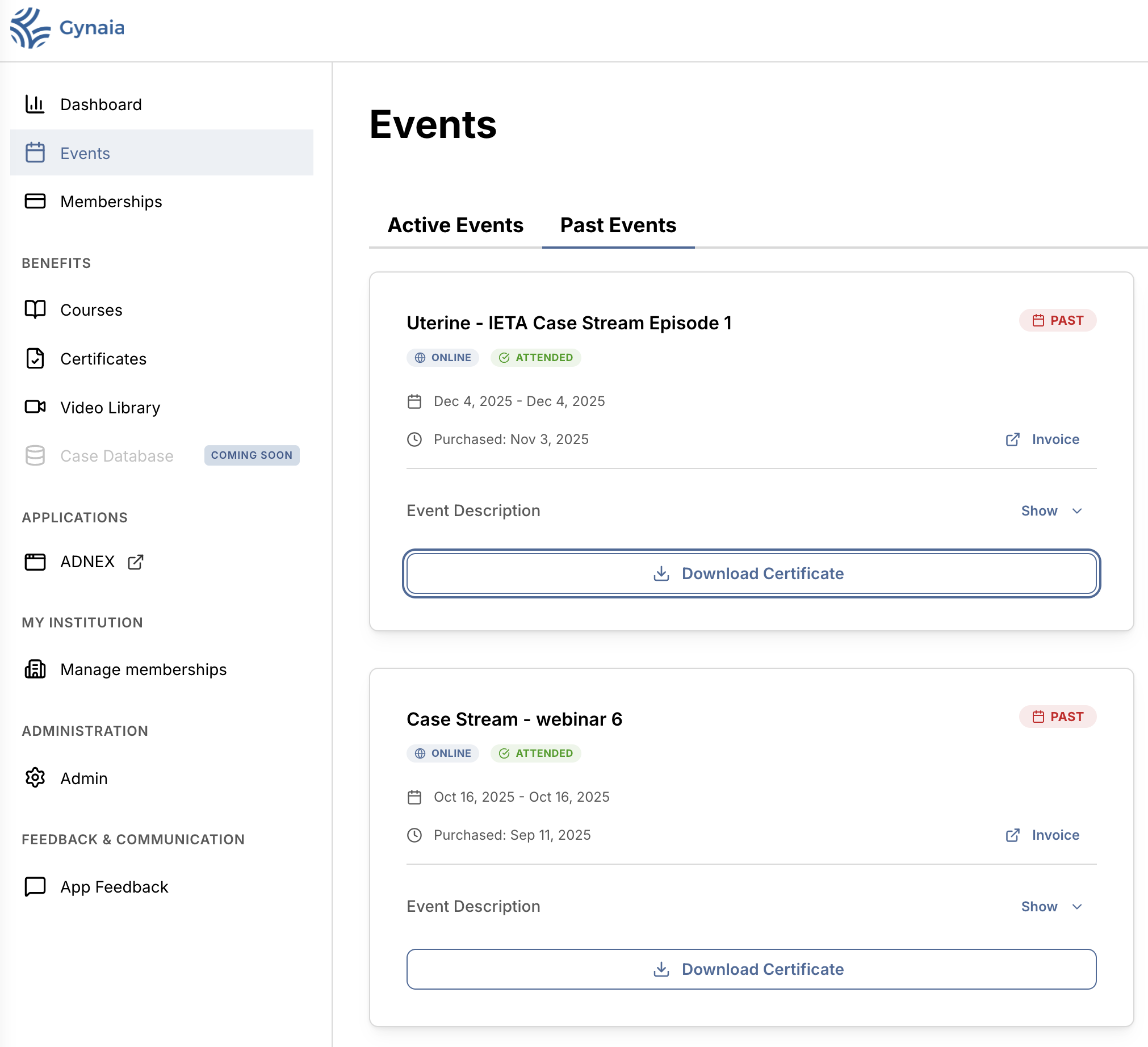
Go to “Events”
-
In the left-hand navigation menu, click Events.
-
-
Open “Past Events”
-
At the top of the Events page, select the Past Events tab.
-
This section shows all events you have previously attended.
-
-
Locate the event
-
Find the event you attended (e.g. Uterine – IETA Case Stream Episode 1).
-
The event card will show:
-
Status: ONLINE
-
Attendance: ATTENDED
-
Date and duration
-
-
-
Download the certificate
-
Click the Download Certificate button on the event card
-
How to download your IOTA Certificate (after passing the test)
Once you have successfully completed the required course and passed the IOTA certification assessment (or IETA, or EPC...), your official IOTA Certificate becomes available for download in your account.
Step-by-step instructions
-
Log in to your Gynaia account
-
After signing in, you will arrive at your Dashboard.
-
-
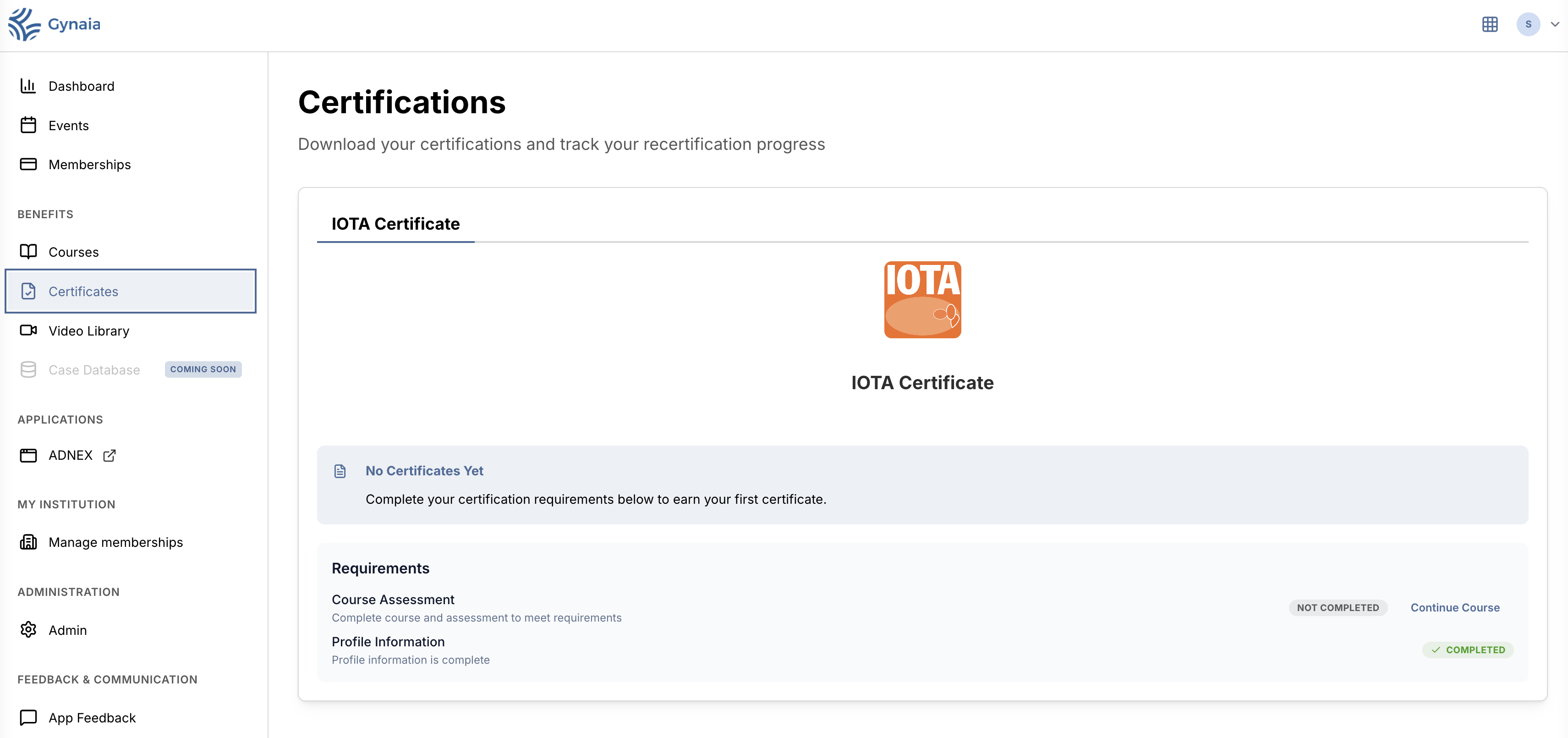
Go to “Certificates”
-
In the left-hand navigation menu, under Benefits, click Certificates.
-
-
Open the IOTA Certificate section
-
On the Certifications page, select the IOTA Certificate tab.
-
This section shows your certification status and progress.
-
-
Complete all requirements
-
To unlock the certificate, all requirements must be marked as Completed, including:
-
Course Assessment (passing the test)
-
Profile Information
-
-
While requirements are incomplete, the page will show “No Certificates Yet”.
-
-
Download your certificate
-
Once all requirements are completed, a Download Certificate button will appear.
-
Click this button to download your official IOTA certificate as a PDF.
-