
Follow the steps below to easily add the app to your device. Instructions differ slightly between iPhone and Android.
How to Install the App on Your iPhone
Video instructions (iPhone)
If you prefer video instructions rather than the walk-through below, please check the videos below:
Written instructions (iPhone)
- Open the website in Safari (https://app.gynaia.com).
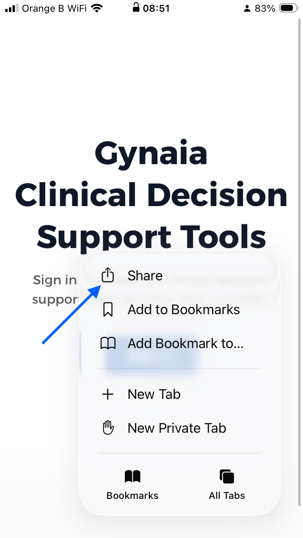
Make sure to use Safari for this installation. No need to log in. - Click on the 3 small dots on the right bottom of the page, as shown below.

- Tap the Share button at the bottom (square with an upward arrow).
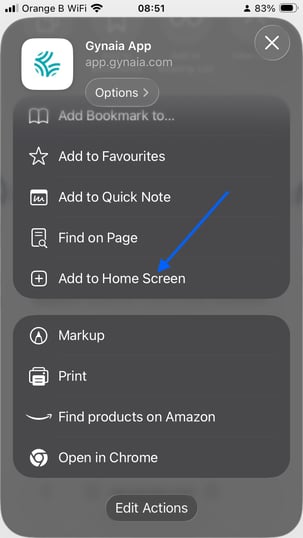
- Scroll down and choose “Add to Home Screen”.
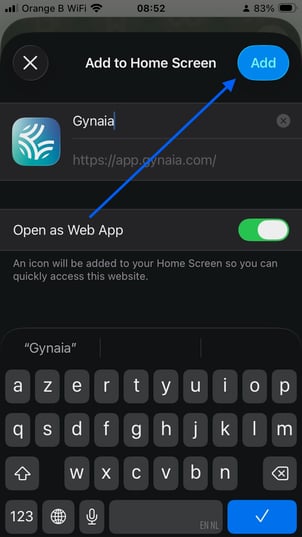
- Tap “Add” in the top-right corner.
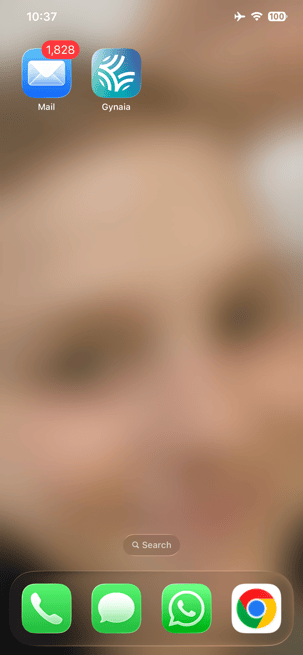
- All set! The app has now appeared on your Home Screen - place it wherever you prefer.
Note that the app will now also work when you are offline: learn more here.
🤖 How to Install the App on Android (Chrome)
- Open the website in Chrome (https://app.gynaia.com)
2 . Tap the three dots in the top-right corner (menu).
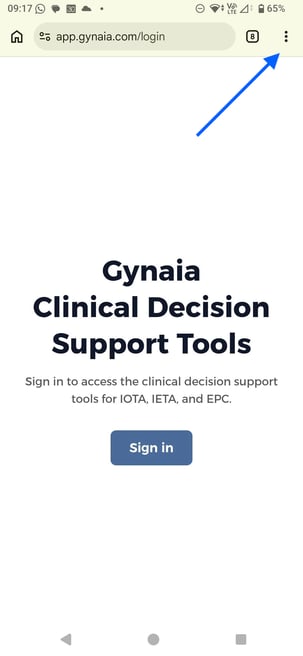
3. Tab "add to Home screen"
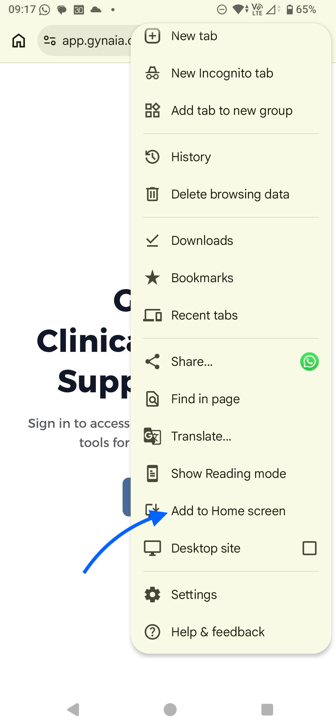
4. Select “Install"
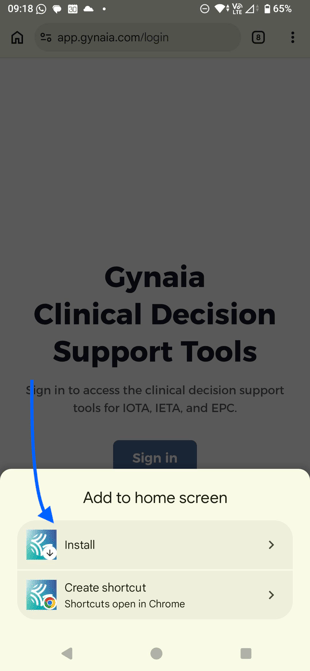
5. Click on Install.
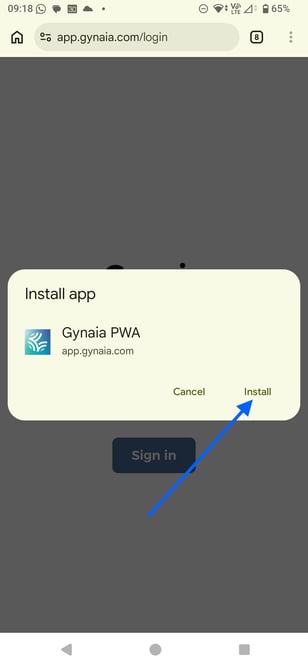
6. The app is now installed on your phone
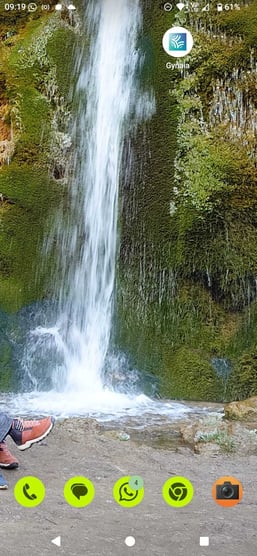
Note that the app will now also work when you are offline. Learn more here.